

Online & Mobile Services
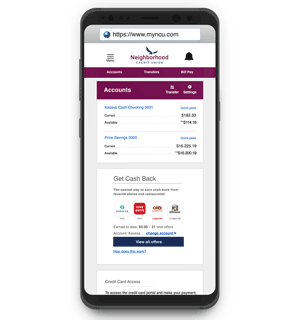 MyNCU Mobile
Bank on the go with our award winning mobile app! Securely and conveniently check your account balance, deposit checks, pay friends and family, make transfers, and more.
Mobile Deposit
Conveniently deposit your check through your MyNCU Mobile App with the click of a button.
 Send Money with Zelle®
Whether it's saving you a trip to the ATM or taking out the guesswork of divvying up the lunch tab, Zelle is a fast, safe and easy way to send and request money. Funds are sent directly to the recipient's account in a matter of minutes¹, and all you need is the recipient's email address or U.S. mobile phone number.
Card Controls at Your Fingertips
Easily turn off and on or cancel your debit card with Card Management in Online Banking or the MyNCU Mobile App. If you need to report your card lost or stolen, quickly do so with Debit Card Lost/Stolen.
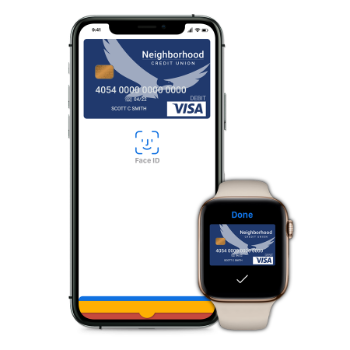 Mobile Wallet
Use your Neighborhood CU debit and credit cards to pay digitally on your devices with Apple Pay, Samsung Pay, Google Pay, and more.
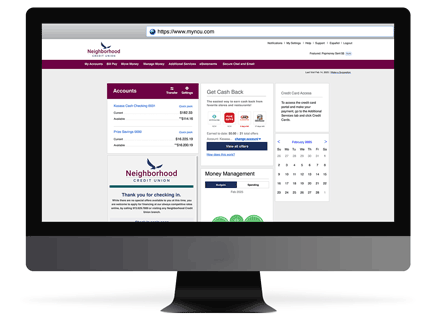 Online Banking
Manage all aspects of your account online from making transfers to applying for loans or secondary accounts.
 Apply OnlineConveniently apply for accounts or loans online or through the MyNCU App.
|
 Bill Pay & TransfersEasily transfer between accounts and use Bill Pay to make paying bills a breeze.
|
 Alerts & NotificationsBe aware of low funds and get regular balance updates in Online Banking, email, and your mobile device.
|
Send Money with Zelle®Sending money to just about anyone is just as easy as sending a text message.
|
Money Management
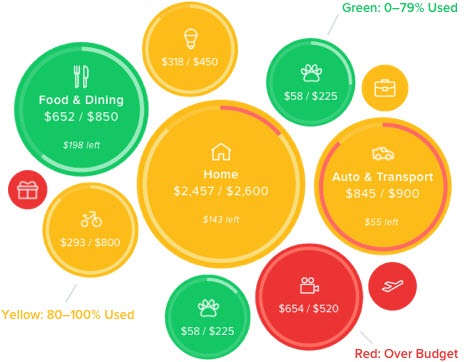
Have a personal finance dashboard at your fingertips inside Online Banking and the MyNCU Mobile App. Access debt payoff calculators, track your financial goals and trends.
Account Finder
Not sure where to start? Let us help you narrow down products that may be the solution to what you’re looking for!
Credit Card Access through Online Banking
Securely access your Neighborhood Credit Union credit cards through online banking. Make payments, view your current account summary, card activity, and billing statements.
Text Message Banking
Quickly access to your account balances and more through a simple text.
¹Transactions typically occur in minutes when the recipient's email address or U.S. mobile number is already enrolled with Zelle.